

In This Blog
TL;DR
Website accessibility ensures your site works for all users, including those using assistive technologies.
WCAG and ARIA provide clear, structured guidance for building accessible experiences.
Accessibility requires both avoiding poor design decisions and actively designing for inclusivity.
Simple practices like semantic HTML and testing with screen readers make a major impact.
Accessibility is ongoing and improves usability, reach, and long-term digital performance.
Introduction
Since the passing of the Americans with Disabilities Act, businesses have been required to provide reasonable accommodations for individuals with disabilities. As the web has become a central part of daily life, accessibility has extended into the digital space as well. Website accessibility ensures that all users, regardless of ability, can interact with content and maintain independence online. :contentReference[oaicite:0]{index=0}
Despite being widely discussed, accessibility is still frequently overlooked in real-world development. Many organizations understand its importance, but it often gets deprioritized during design and build phases. In this post, we’ll walk through what accessibility really means, why it’s not consistently implemented, and how you can take practical steps to improve it. :contentReference[oaicite:1]{index=1}
What is A11Y?
A11Y is shorthand for “accessibility.” The number 11 represents the number of letters between the “a” and the “y.” You’ll see this abbreviation used across development teams, design conversations, and even social platforms where brevity matters.
What is Website Accessibility?
At its simplest level, website accessibility means designing websites so they can be used by people with disabilities. The internet was built to be universal. The more people who can access it across devices and environments, the more valuable it becomes.
In practical terms, accessibility comes down to two responsibilities during development:
Avoid design decisions that reduce usability
Actively implement features that support assistive technologies
The W3C Web Accessibility Initiative introduced the Web Content Accessibility Guidelines (WCAG) to standardize how accessibility is approached. These guidelines have evolved over time to include more clarity, better tooling support, and coverage for modern content types.
WCAG includes three levels of conformance:
Level A: Minimum accessibility requirements
Level AA: The most common target for organizations
Level AAA: The highest and most difficult standard to achieve consistently
In addition, ARIA helps define roles for dynamic content. Combined with semantic HTML, it allows even highly interactive applications to remain accessible.
In short, accessibility means building your site so anyone can use it. Just like mobile optimization, it requires intentional effort. The good news is that with modern standards and tools, it’s more achievable than ever.
Addressing Web Accessibility Challenges
Visual Challenges
Users with visual impairments rely on structure and clarity. ARIA landmarks help define page regions, while descriptive headings and links provide context. Alt text ensures images are understandable. High contrast and zoom support improve readability and reduce strain.
Auditory Challenges
Captions and transcripts are essential for users who are deaf or hard of hearing. Captions translate spoken content into text, while transcripts provide a full written version of audio experiences.
Dexterity Challenges
Users with limited mobility may struggle with precise mouse interaction. Keyboard navigation is critical, along with visible focus states that show where a user is on the page. Consistent layout and structure also improve navigation.
Cognitive Challenges
Clear language and predictable navigation reduce confusion. Providing content in multiple formats, such as text, video, or audio, supports different learning styles and comprehension levels.
How Do You Make an Accessible Website?
The easiest and most impactful starting point is semantic HTML. Use the correct tags to reflect the structure of your content. For example, paragraphs should use <p>, footers should use <footer>, and links should use <a>.
A common mistake is overusing <div> elements. While flexible, they don’t provide meaningful context for assistive technologies.
Assistive tools like screen readers and voice controls rely on proper structure. When semantic HTML is used correctly, these tools can provide a much better experience.
As your application becomes more dynamic, ARIA roles help define how elements behave. This ensures even complex interfaces remain usable.
To go further, you can align your development process with established accessibility principles and integrate them into your workflows.
Measuring Accessibility: The POUR Principles
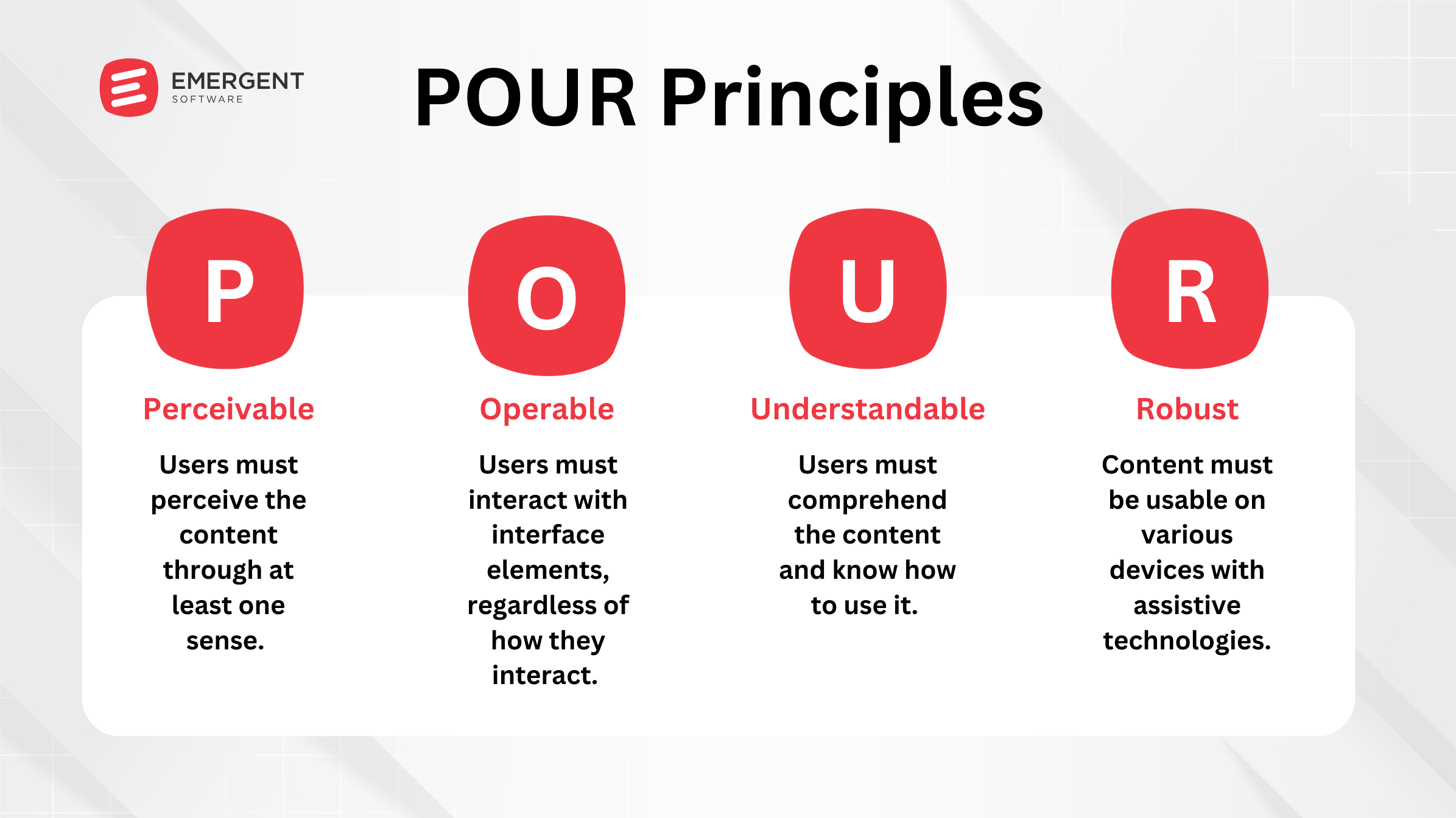
The POUR principles provide a simple way to evaluate accessibility:
Perceivable: Users must be able to perceive the content through at least one sense.
Operable: Users must be able to interact with the interface.
Understandable: Content must be clear and predictable.
Robust: Content must work across devices and assistive tools.
Examples: A Site That Nailed It, And A Site That Missed the Mark
Missed the Mark
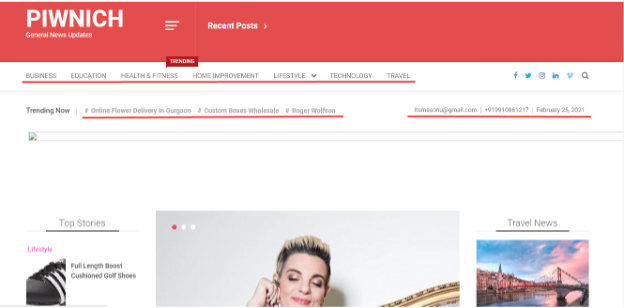
The PIWNICH site is a good example of how design decisions can negatively impact accessibility. Poor color contrast and lack of compatibility with assistive tools made it difficult for users to navigate effectively.
(Source: WhoisAccessible)
Nailed It!
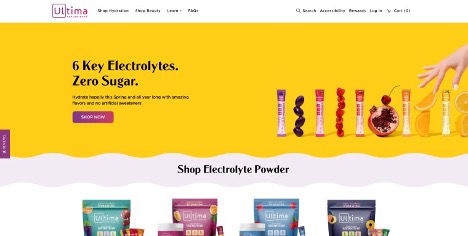
The Ultima site demonstrates how thoughtful design improves accessibility. Strong contrast, readable text, and clean layout create a better experience for all users.
(Source: accessiBe)
If This is So Important, Why Isn’t it Already Universal?
Developers often design with a “typical” user in mind. This perspective is shaped by personal experience, which can unintentionally exclude others.
Accessibility requires empathy. It means thinking beyond your own experience and considering how different users interact with your product.
One of the most effective ways to build this perspective is to use accessibility tools yourself. Try navigating your site with screen readers or testing alternative interaction methods.
Even small exercises can reveal major usability gaps and opportunities for improvement.
Tools Can Help!
There’s no substitute for using your own product the way your users do. But tools can help you identify issues faster.
WAVE is one of the most widely used accessibility tools. It provides a quick overview of issues and highlights areas that need attention.
For more advanced workflows, you can integrate accessibility checks into your CI/CD pipeline using APIs and continuous testing.
Looking ahead, WCAG 3.0 will introduce more testable criteria, making automation even more effective.
What’s Next for A11Y?
Accessibility is an ongoing process. You can run accessibility audits, refine your design systems, and use tools like TAW or Accessibility Inspector.
If you’ve made it this far, you’ve already taken an important step. Awareness is the foundation for improvement.
How Emergent Software Can Help
We help organizations build accessible, scalable web experiences through custom software and modern website development. Our team ensures your digital platforms align with WCAG standards while supporting performance, usability, and long-term growth. If this sounds familiar, we can help.
Final Thoughts
Accessibility is not just about compliance. It’s about building better experiences for everyone. When you design with accessibility in mind, you create products that are more usable, inclusive, and effective.
If you're ready to improve your website accessibility, Emergent Software is here to help. Reach out — we'd love to learn more about your goals.
Frequently Asked Questions
What does A11Y mean?
A11Y is an abbreviation for accessibility. The number represents the letters between “a” and “y.” It is commonly used in development and design discussions.
What is website accessibility?
Website accessibility ensures that people with disabilities can use and interact with digital content. It includes design, development, and usability considerations.
What are WCAG guidelines?
WCAG provides standards for accessible web design. It includes different levels of compliance and best practices for usability.
How do I test accessibility?
You can use tools like WAVE or test manually with assistive technologies like screen readers. Combining both approaches provides the best results.
What is semantic HTML?
Semantic HTML uses meaningful tags to structure content. It helps browsers and assistive tools understand your page.
What are the POUR principles?
POUR stands for perceivable, operable, understandable, and robust. These principles guide accessible design.
Author



Let’s Start Building Together
Whether you're modernizing legacy apps, strengthening your cloud security, or planning your next big initiative, Emergent Software is here to help.


