

In This Blog
TL;DR
Microsoft Teams has evolved into a full collaboration platform, not just chat and meetings.
Advanced features like automation, AI recap, and integrations can significantly improve productivity.
Many teams underutilize Teams and miss opportunities to streamline workflows.
Features like Speaker Coach and Together Mode improve communication and engagement.
Centralizing tools inside Teams reduces context switching and improves efficiency.
Introduction
In today’s professional landscape, it’s rare to find a team that isn’t equipped to collaborate remotely. The shift to hybrid and remote work accelerated quickly in 2020, and tools like Microsoft Teams became essential almost overnight. :contentReference[oaicite:0]{index=0}
Even with some organizations pushing for a return to in-office work, Microsoft Teams continues to grow. With over 320 million users worldwide, it has become a core part of how teams communicate and collaborate. :contentReference[oaicite:1]{index=1}
Most teams use Teams for basic functions like chat and video calls. But there’s a lot more built into the platform. Many of the features that drive real productivity gains are often overlooked.
Microsoft Teams Advanced Features
What are the advanced features in Microsoft Teams that can actually make a difference in how your team works? Here are some of the most impactful ones to start using.
1. Microsoft Teams Premium
Microsoft Teams Premium introduces a more structured and intelligent meeting experience. It includes features like meeting templates, branding, and meeting guides that help standardize how meetings are run across your organization.
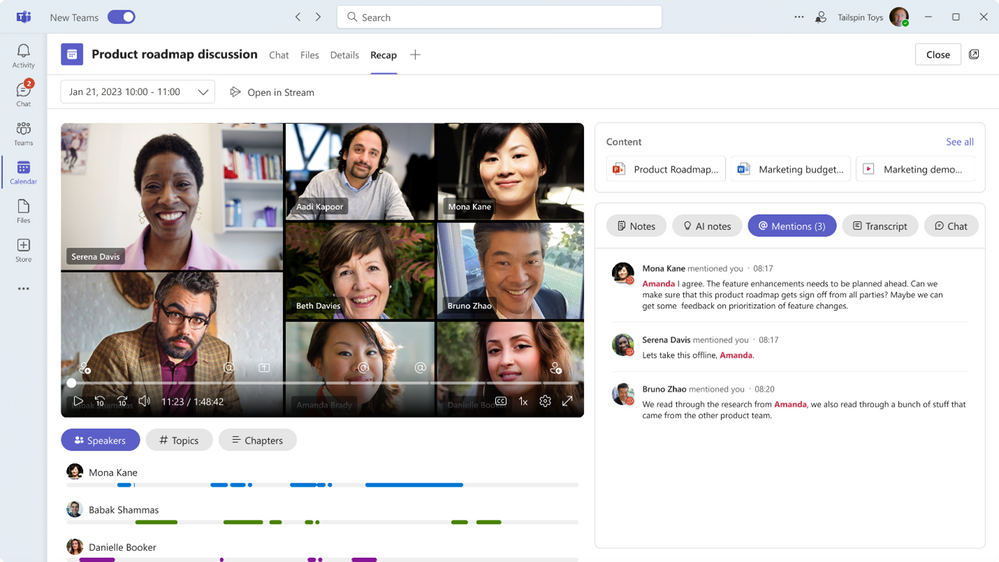
One of the most valuable additions is intelligent recap. This uses AI to automatically generate meeting summaries, highlight key moments, and recommend next steps.
More on Intelligent Recap
The recap feature lives directly inside Teams and allows users to quickly review what happened in a meeting. Even if you miss the meeting, you can still access notes, tasks, and highlights without having to rewatch the full recording.
You may also like: [Podcast] Microsoft Teams: Awesome Features for Enhanced Work Efficiency
2. Together Mode for All
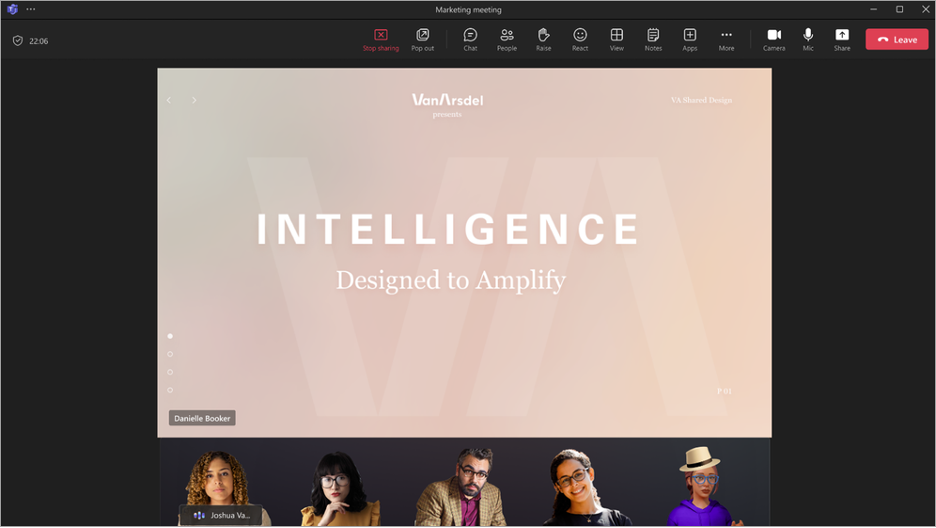
Together Mode places meeting participants into a shared virtual space. It helps meetings feel more interactive and less like a grid of video boxes.
Previously limited by meeting size, this feature is now available more broadly and can be used in a wider range of meetings.
3. Mesh for Microsoft Teams
Mesh brings mixed reality into Teams by allowing users to join meetings as avatars in immersive environments.
This is part of Microsoft’s push toward more immersive collaboration experiences and opens the door for new types of virtual interaction.

4. Multi-Language Meeting Support
Teams now supports real-time translations and transcripts across multiple languages.
This is especially valuable for global teams. Participants can follow along in their preferred language, making meetings more accessible and inclusive.
5. Advanced Webinar Capabilities
Teams includes tools for hosting webinars, including registration management, attendee customization, and reporting.
These features help organizations create more structured and professional webinar experiences.
6. Centralized Document Management
Teams integrates with SharePoint and OneDrive to create a centralized hub for documents.
Instead of switching between tools, your team can manage files, collaborate, and organize content directly within Teams.
7. Automated Workflows
Using Power Automate, Teams allows you to automate repetitive tasks.
This includes approvals, notifications, and scheduled workflows. It reduces manual work and helps your team stay focused on higher-value tasks.
8. Speaker Coach
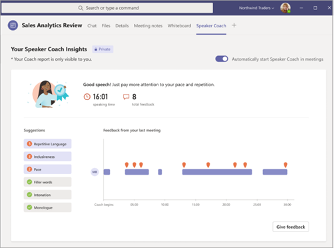
Speaker Coach helps improve presentation skills by providing feedback after meetings.
It evaluates metrics like pacing, tone, and repetition, helping users refine their communication over time.
9. Reusable Whiteboards
Every Teams meeting includes a whiteboard for collaboration.
These whiteboards are saved and can be reused in future meetings, making it easier to build on ideas over time.
The “Follow” feature allows presenters to guide participants across the board in real time.
10. Workload Management
Using Planner, teams can assign and track tasks directly within Teams.
This helps keep work organized and ensures visibility across the team.
11. Team-Wide Alerts
Instead of relying on email, Teams allows you to create channels for announcements.
This keeps communication centralized and easier to reference over time.
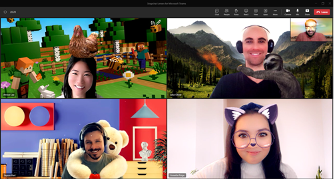
12. Filters
Teams includes video filters and effects to improve or personalize your appearance during meetings.
These range from simple enhancements to more creative visual effects.
13. Customizable Sidebar
Users can rearrange the Teams sidebar to prioritize the tools they use most.
Keyboard shortcuts also make navigation faster and more efficient.
14. Secure Collaboration with External Users
Teams allows you to collaborate with external users securely.
Admins can control access levels while still enabling real-time communication with partners and clients.
15. Integrations
Teams integrates with a wide range of tools like Smartsheet, Power BI, OpsGenie, and Polly.
These integrations help centralize work and reduce the need to switch between platforms.
Conclusion
Microsoft Teams is more than just a communication tool. It’s a platform that can support collaboration, automation, and productivity across your organization.
By taking advantage of these advanced features, teams can reduce friction, improve communication, and work more efficiently.
How Emergent Software Can Help
We help organizations get more value out of Microsoft 365, including Teams, Power Platform, and Azure. Whether you're looking to improve collaboration, automate workflows, or integrate your systems, our team can help you build a more efficient and scalable environment. If this sounds familiar, we can help.
Final Thoughts
Most teams only scratch the surface of what Microsoft Teams can do. The features covered here can significantly improve how your team communicates and collaborates.
As the platform continues to evolve, taking the time to explore and adopt new capabilities can create real advantages for your organization.
If you're ready to get more out of Microsoft Teams, Emergent Software is here to help. Reach out — we'd love to learn more about your goals.
Frequently Asked Questions
What are advanced Microsoft Teams features?
Advanced features include tools beyond basic chat and meetings. These include automation, integrations, AI recap, and collaboration tools. They help improve productivity and streamline workflows. Many teams do not use them fully. Exploring these features can unlock more value.
How can Teams improve productivity?
Teams reduces the need to switch between tools by centralizing communication and workflows. Features like automation and integrations streamline repetitive tasks. This allows teams to focus on more important work. It also improves visibility and collaboration.
What is Teams Premium?
Teams Premium adds advanced meeting features like templates, branding, and AI recap. It helps standardize meetings and improve efficiency. The recap feature provides summaries and action items. This saves time and improves follow-up.
Can Teams integrate with other tools?
Yes, Teams integrates with many tools like Power BI and Smartsheet. These integrations help centralize workflows. They reduce the need to switch between systems. This improves efficiency and collaboration.
Is Microsoft Teams secure?
Teams includes built-in security and compliance features. It supports secure collaboration with external users. Admins can control access and permissions. This ensures data remains protected.
How do I get started with advanced features?
Start by identifying areas where your team can improve efficiency. Then explore features like automation, integrations, and collaboration tools. Training your team helps drive adoption. Testing features in real scenarios is key.
Author



Let’s Start Building Together
Whether you're modernizing legacy apps, strengthening your cloud security, or planning your next big initiative, Emergent Software is here to help.


