

In This Blog
TL;DR
SaaS, PaaS, and IaaS are three cloud computing models that give organizations different levels of control, flexibility, and responsibility.
SaaS provides ready-to-use software applications over the internet, making it ideal for teams that want fast deployment and low IT overhead.
PaaS gives developers a managed platform for building and deploying applications without managing the underlying infrastructure.
IaaS provides virtualized infrastructure such as servers, storage, and networking for organizations that need more customization and control.
Most companies use a mix of SaaS, PaaS, and IaaS depending on their business goals, technical needs, and internal resources.
Cloud computing has changed the way companies manage technology by offering more flexible and cost-effective options for their IT needs. Instead of buying and maintaining every server, tool, and application internally, organizations can choose from different cloud service models that match how much control they want and how much responsibility they want to keep in-house.
Software as a Service, Platform as a Service, and Infrastructure as a Service are three complementary cloud computing models. Each model serves a different purpose and fits a different type of need. That’s why it’s important for businesses to understand what each one does, where it fits, and how it can support broader technology goals.
This article breaks down SaaS, PaaS, and IaaS, explains common use cases, and compares them side-by-side so you can make more informed decisions about your cloud strategy.
SaaS: Software as a Service
Software as a Service (SaaS) is a cloud computing model that delivers software applications over the internet. Users typically access these applications through a web browser, which removes the need for local installation, hardware management, and manual software maintenance.
SaaS is the model most business users interact with every day. If your team uses a CRM, collaboration platform, email system, or productivity suite through a browser, there’s a good chance you’re already using SaaS. The provider manages the application, infrastructure, updates, and availability, while your team simply uses the tool.
Common examples of SaaS applications include:
CRM systems like Salesforce
Collaboration tools like Slack
Productivity suites like Microsoft Office 365
SaaS Characteristics
SaaS is popular because it is easy to adopt and easy to scale. It works well for teams that need access to software quickly without building or maintaining the underlying platform themselves.
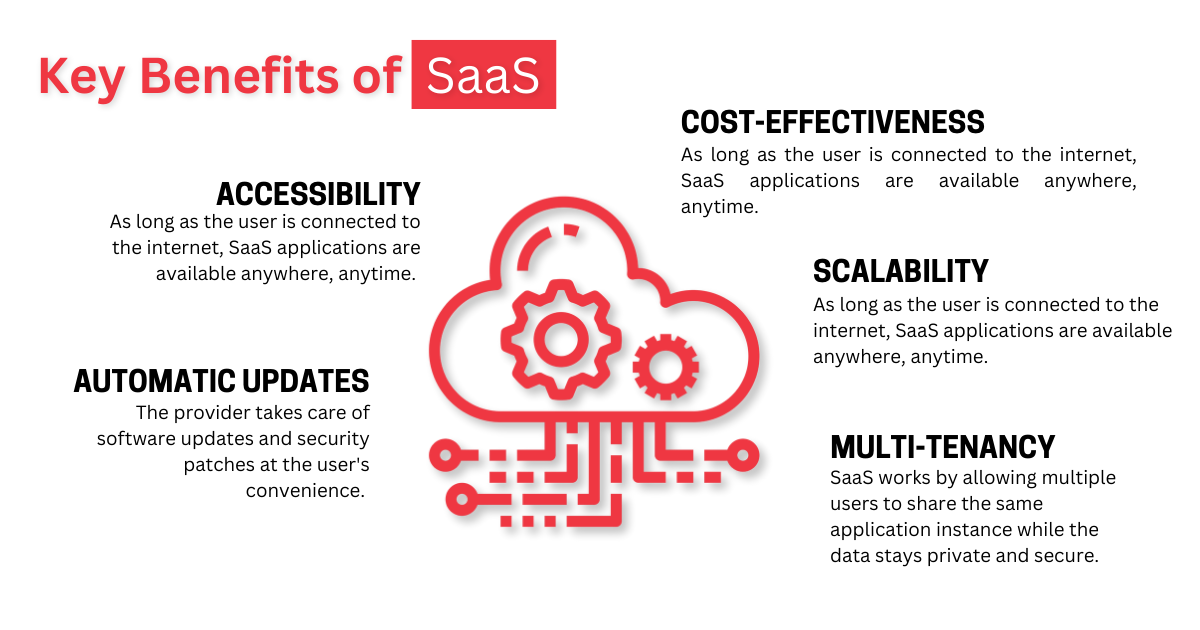
1. Accessibility
SaaS applications can be accessed from almost anywhere, as long as the user has an internet connection. This gives employees the flexibility to work remotely, collaborate across locations, and access important business tools without being tied to a specific device or office network.
2. Subscription-Based Pricing
Most SaaS platforms use a monthly or annual subscription model. This makes costs more predictable and reduces the need for large upfront purchases of software licenses or infrastructure. For many companies, this creates a simpler budgeting process and allows tools to scale up or down as the organization changes.
3. Automatic Updates and Maintenance
With SaaS, the provider handles updates, patches, and maintenance. That means users get access to the latest features and security improvements without requiring internal IT teams to manage upgrades manually. This can be a major advantage for companies with limited IT capacity or teams focused on higher-value strategic work.
When to Use SaaS
SaaS is ideal when your organization needs a proven, ready-to-use application without investing heavily in setup, infrastructure, or long-term maintenance. It is often the right choice for standard business functions where customization is less important than speed, reliability, and ease of use.
To Minimize IT Overhead
SaaS helps companies reduce IT infrastructure and management costs because the provider handles hosting, maintenance, updates, and security patches. This allows internal IT teams to focus on work that is more specific to the business, such as improving workflows, integrating systems, or supporting strategic projects.
Faster Deployment
SaaS applications are usually quick to deploy. In many cases, users can be added and configured within minutes or hours instead of weeks or months. This is especially valuable when a company needs to respond quickly to a new business need, support a growing team, or standardize tools across departments.
Increased Mobility
SaaS supports remote and distributed workforces by making applications available from anywhere. Employees can access the tools they need whether they are in the office, at home, or traveling. This improves collaboration and helps global teams operate more consistently.
Predictable Costs
The subscription model makes SaaS costs easier to forecast. Instead of large upfront software investments, companies pay recurring fees based on usage, seats, or feature tiers. This can help finance and IT teams plan more accurately and adjust spending as needs change.
You may also like: What Is SaaS? Software as a Service Explained
PaaS: Platform as a Service
Platform as a Service (PaaS) is a cloud-based environment that allows developers to build, deploy, and manage applications without managing the underlying infrastructure. It provides a framework that may include operating systems, development tools, middleware, database services, hosting, and deployment capabilities.
PaaS is designed for development teams. It gives them the tools they need to create applications faster while reducing the amount of time spent configuring servers, managing runtime environments, or handling infrastructure updates. This makes it a strong option for organizations that want to accelerate software delivery without giving up the ability to build custom applications.
Common examples of PaaS solutions include:
Google App Engine
Microsoft Azure App Service
Heroku
PaaS Characteristics
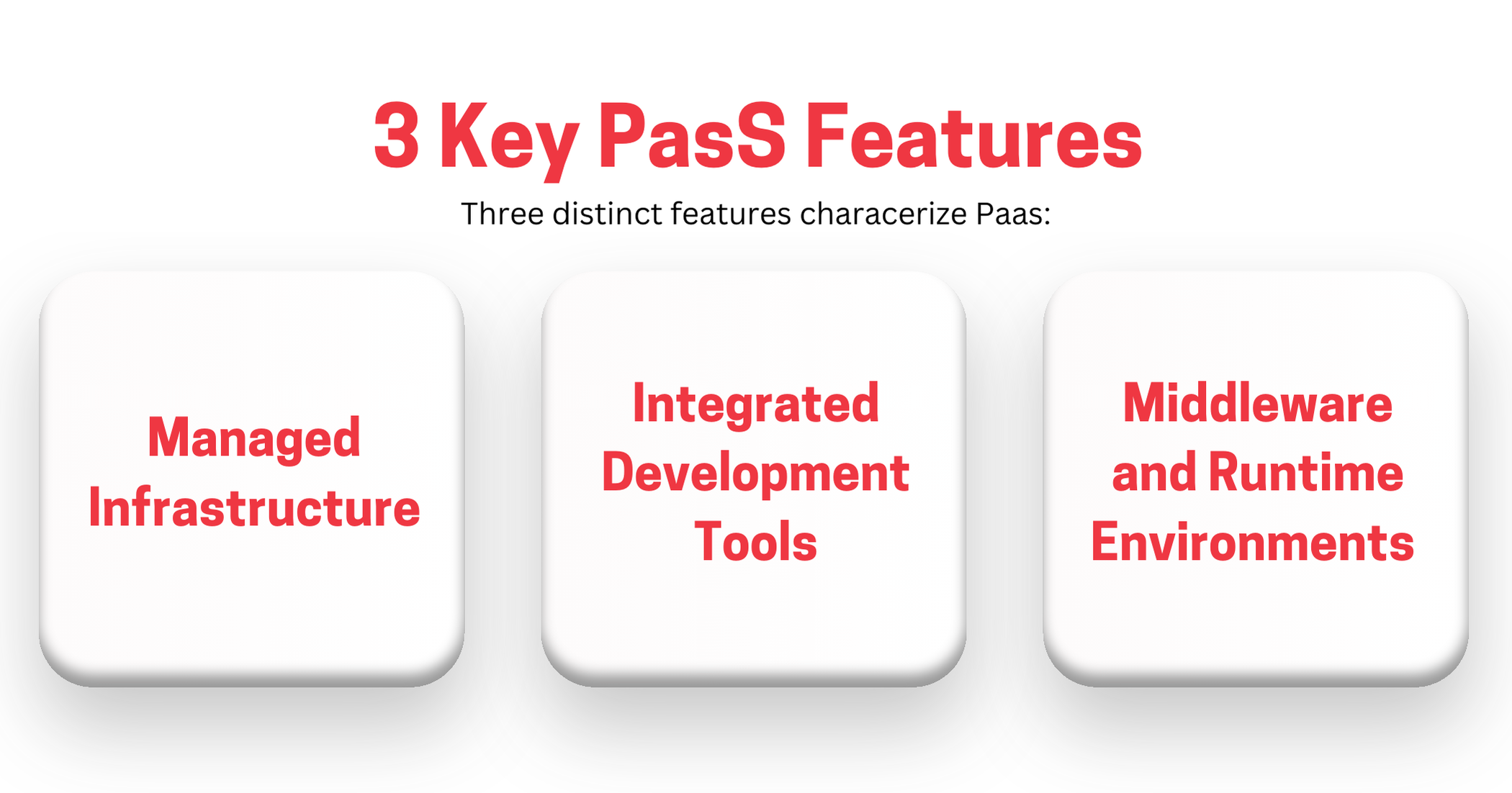
PaaS sits between SaaS and IaaS in terms of control and responsibility. Your team manages the application and code, while the cloud provider manages much of the platform and infrastructure underneath it.
1. Development and Deployment Environments
PaaS platforms provide pre-configured environments that make it easier for developers to build and deploy applications. Instead of spending time setting up servers, networking, operating systems, and runtime components, developers can focus on writing code and delivering features.
2. Integration with Development Tools
PaaS platforms often integrate with popular development tools, repositories, testing frameworks, and deployment pipelines. This helps simplify the software development lifecycle and improves collaboration across development, QA, and operations teams.
3. Scalability
PaaS solutions are built to scale. Applications can often adjust resources automatically based on demand, which helps maintain performance during traffic spikes or periods of rapid growth. This is especially helpful for applications with unpredictable usage patterns.
When to Use PaaS
PaaS is a good fit when your organization wants to build custom applications but does not want to manage every layer of the infrastructure. It is often used by teams that want speed, scalability, and development efficiency without the operational burden of managing servers directly.
To Focus on Innovation
Companies that want to build new applications and services can use PaaS to accelerate development. By using pre-built components, managed services, and ready-to-use frameworks, development teams can spend more time solving business problems and less time maintaining infrastructure.
Integrated Development Environments
PaaS gives developers access to an integrated set of tools and services that can improve efficiency and time to market. When teams have a consistent environment for building, testing, and deploying applications, they can collaborate more effectively and reduce environment-related issues.
Effective Scaling
Applications built on PaaS can scale more easily as demand changes. This is useful for growing companies, seasonal businesses, or applications that experience unpredictable traffic. Rather than manually provisioning new resources, teams can rely on the platform to adjust capacity as needed.
To Reduce Development Costs
PaaS can reduce the need to purchase and maintain expensive hardware or development infrastructure. This can be especially valuable for startups and mid-sized businesses that need to move quickly but have limited infrastructure budgets or internal operations teams.
You may also like: What Is PaaS? Platform as a Service Explained
IaaS: Infrastructure as a Service
Infrastructure as a Service (IaaS) provides virtualized computing resources over the internet. It gives businesses access to infrastructure such as virtual machines, storage, networking, and firewalls without requiring them to buy and manage physical hardware.
IaaS offers the greatest level of control among the three models. Your organization can configure and manage virtual infrastructure to meet specific needs while the cloud provider maintains the physical data centers and underlying hardware. This makes IaaS useful for companies with complex requirements, legacy workloads, or specific security and compliance needs.
Popular IaaS Providers Include:
Amazon Web Services (AWS)
Microsoft Azure
Google Cloud Platform (GCP)
IaaS Characteristics
IaaS gives teams flexibility and control, but it also places more responsibility on the customer. The provider manages the physical infrastructure, but your team typically manages operating systems, applications, data, security configurations, and resource usage.
1. Virtualized Resources
Companies can use IaaS to access virtual machines, storage, and networks on demand. These resources can be configured to match specific application, performance, compliance, or security needs.
2. Easy Provisioning
IaaS allows organizations to provision resources quickly. Instead of waiting for hardware procurement and installation, teams can spin up servers, storage, and networking resources as needed. This helps organizations scale faster and respond to changing business demands.
3. Cost Efficiency
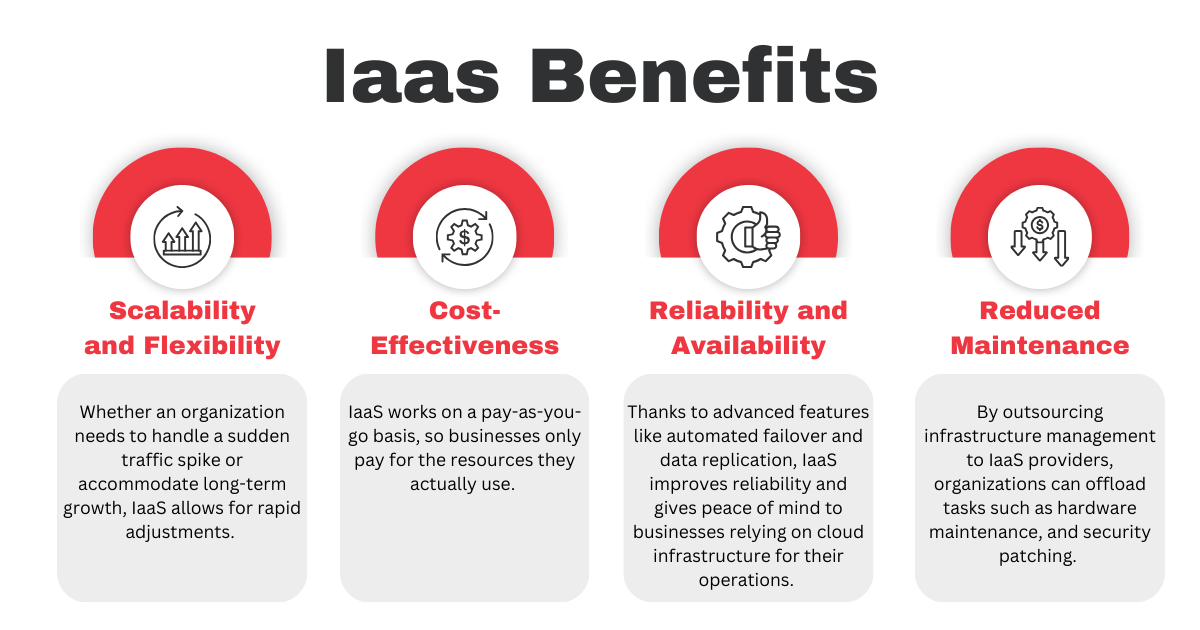
IaaS typically uses a pay-as-you-go pricing model, which means companies only pay for the resources they use. This can reduce capital expenses and help organizations avoid overinvesting in hardware that may sit unused.
When to Use IaaS
IaaS is ideal when your organization needs flexibility, customization, and control over infrastructure. It is often used for legacy applications, custom environments, disaster recovery, scalable workloads, and infrastructure modernization.
More Flexibility and Control
IaaS gives companies more control over their IT environments. Teams can configure virtual machines, storage, networks, and security settings to meet specific technical or regulatory requirements. This makes it a strong choice when standard SaaS or PaaS options are too limiting.
To Run Legacy Applications
Some organizations rely on legacy software that cannot easily move to SaaS or PaaS. IaaS can support these systems by providing flexible infrastructure that can run a wide range of operating systems, databases, and application architectures.
Scalable Infrastructure
IaaS is well suited for workloads with variable demand. Companies can scale resources up during peak periods and scale down when demand drops. This helps avoid overprovisioning while still supporting performance during busy periods.
To Improve Disaster Recovery
IaaS can support backup and disaster recovery strategies by replicating important data and applications in secure off-site environments. This gives companies more resilience and a clearer recovery path if an outage or failure occurs.
Better Cost-Efficiency
The pay-as-you-go model helps companies control spending by only paying for resources they use. This can be helpful for startups, growing businesses, or organizations moving away from large upfront investments in physical hardware.
You may also like: What Is IaaS? Infrastructure as a Service Explained
Differences Between SaaS, PaaS, and IaaS
Another useful way to understand the differences between SaaS, PaaS, and IaaS is to compare them side-by-side. The biggest distinction is how much responsibility sits with the provider versus your internal team. SaaS gives you the least responsibility and the least control. IaaS gives you the most control and the most responsibility. PaaS sits in the middle.
Differences Between SaaS, PaaS, and IaaS | |||
FEATURE | SAAS | PAAS | IAAS |
Definition | Provides software applications over the Internet | Provides a platform allowing customers to develop, run, and manage applications | Provides virtualized computing resources over the Internet |
User | End users | Developers | IT administrators and developers |
Management | Managed by the service provider | Managed by both the provider and the customer | Mostly managed by customer |
Examples | Microsoft 365, Google Workspace, Salesforce | Azure App Services, Heroku, Google App Engine | AWS EC2, Microsoft Azure, Google Compute Engine |
Control Level | Low control over the underlying infrastructure | Moderate control over applications and environments | High control over infrastructure and network resources |
Cost Model | Subscription-based | Subscription or usage based | Pay-as-you-go |
Scalability | Highly scalable with minimal user effort | Scalable, depending on application design | Highly scalable, dependent on user configuration |
Customization | Limited customization | More customization options | Full customization of infrastructure |
Maintenance | No maintenance is required by the user | Maintenance of applications by user, platform by provider | Full maintenance by the user |
Security | The provider is responsible for security | Shared responsibility between the provider and the user | The user is responsible for securing the infrastructure |
Use cases | Short-term projects, startups, standard business software needs | Custom application development, streamlined workflows for multiple developers | Custom IT infrastructure, specific security or compliance requirements |
How Emergent Software Can Help
We help organizations make smart cloud decisions across SaaS, PaaS, and IaaS, especially in Microsoft Azure environments. Whether you are modernizing legacy systems, building a new custom application, improving your cloud architecture, or designing a more scalable data platform, our team can help you choose the right model and implement it well. We bring experience across custom software development, Azure cloud services, data engineering, DevOps, and managed services. If this sounds familiar, we can help.
Final Thoughts
SaaS, PaaS, and IaaS each offer unique advantages. SaaS gives teams ready-to-use applications with minimal management. PaaS gives developers a faster path to build and deploy applications. IaaS gives organizations the control and flexibility needed for custom infrastructure and complex workloads.
The best choice depends on what your business is trying to accomplish. If you need standard business software, SaaS may be enough. If you are building applications, PaaS can speed up delivery. If you need deep control over infrastructure, IaaS may be the better fit. In many cases, the right strategy includes a mix of all three.
If you're ready to build a cloud strategy that supports scalability, efficiency, and long-term growth, Emergent Software is here to help. Reach out — we'd love to learn more about your goals.
Frequently Asked Questions
What is SaaS, PaaS, and IaaS?
SaaS, PaaS, and IaaS are three cloud computing service models. SaaS delivers ready-to-use software applications over the internet. PaaS provides a managed platform for building and deploying applications. IaaS provides virtualized infrastructure such as servers, storage, and networking. Each model gives organizations a different level of control and responsibility.
What do IaaS, PaaS, and SaaS have in common?
IaaS, PaaS, and SaaS are all cloud-based models delivered over the internet. They help organizations reduce reliance on physical infrastructure, improve scalability, and manage costs more flexibly. Each model allows companies to access technology resources without owning every layer of the environment. They also support faster deployment and more adaptable IT operations. The main difference is how much the provider manages versus how much the customer manages.
What is the main difference between SaaS, PaaS, and IaaS?
The main difference is the level of control and management responsibility. SaaS is the most managed option, giving users access to software while the provider handles nearly everything else. PaaS gives developers a managed platform while they remain responsible for the application code. IaaS gives the customer the most control over infrastructure, but also the most responsibility. The right choice depends on how much flexibility and control your team needs.
How does the SaaS model differ from the IaaS model?
SaaS provides a complete software application that users can access immediately. IaaS provides infrastructure that your team can configure and manage to support applications, databases, and other workloads. With SaaS, the provider manages the application and infrastructure. With IaaS, your team has more control over the environment but must also manage more of the stack. SaaS is usually best for standard business software, while IaaS is better for custom infrastructure needs.
How do I choose between IaaS and PaaS?
Choose PaaS when your team wants to build applications quickly without managing servers, operating systems, and runtime environments. Choose IaaS when you need more control over infrastructure, networking, security settings, or legacy system requirements. PaaS is often better for modern application development, while IaaS is often better for customized environments. The decision usually depends on your technical requirements and how much operational responsibility your team can support. Many organizations use both depending on the workload.
Is AWS an IaaS or PaaS?
AWS offers both IaaS and PaaS services. For example, Amazon EC2 is commonly considered IaaS because it provides virtual machines and infrastructure resources. AWS Elastic Beanstalk is closer to PaaS because it helps developers deploy and manage applications without handling as much infrastructure configuration. Most major cloud providers offer services across multiple cloud models. Microsoft Azure and Google Cloud follow a similar pattern.
Author



Let’s Start Building Together
Whether you're modernizing legacy apps, strengthening your cloud security, or planning your next big initiative, Emergent Software is here to help.


